
Solar Pool Heater ControlCompool LX220 Instructions

Front Panel Controls

GENERAL OPERATING INSTRUCTIONS1. Set the thermostat (comfort control) to a relative position. We suggest you set it at maximum until the pool starts to get too warm. This will keep the solar heating process going at maximum. 2. If the pool gets too warm, you can start to lower the thermostat until you find the setting you like best. You will have to use your pool temperature gauge as a guide with the comfort control setting. 3. Place the AUTO / OFF / ON switch to AUTO for full automatic operation. |
COOLING DOWN A HOT POOLTurn the LX220 to ON [manual override] during evening hours when the sun has set. Manually monitor temperature drop. During the daylight hours ensure the LX220 is OFF. |
CLEANING, DRAINING & BACKWASHINGEnsure the pump is on and the valves set as previously used. |
Compool LX220 Outside Photos
Compool's LX220 Solar Control

Shown above: LX220 control, RLY-SC power relay,
Bypass valve with valve operator installed, instructions.
LX220 Automates The PCS1
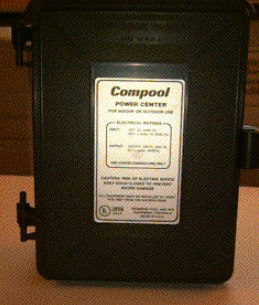
Opening The Front Cover
Note: wiring instructions are on inside of front cover.

Wiring Instructions

How To Wiring The Power To LX220 (On the cover)
The Control Panel
Full automatic control of your pool's temperature.

General Operating Instructions
1. Set the thermostat to a relative position. We suggest you set it at maximum until the pool starts to get too warm. This will keep the solar heating process going at maximum.
2. As the pool gets warmer, you can start to lower the thermostat until you find the setting you like best.
3. Place the AUTO/OFF/ON switch to AUTO.
Compool LX220 Inside Photos
Opening The Control Panel

Opened Front Panel
Shows PC Board & Wiring

Low Voltage Compartment (upper) &
High Voltage Compartment (lower)

Installing Power Relay

Power Control Relay mounts in lower compartment.
PC Board Wiring


Comments